On this page
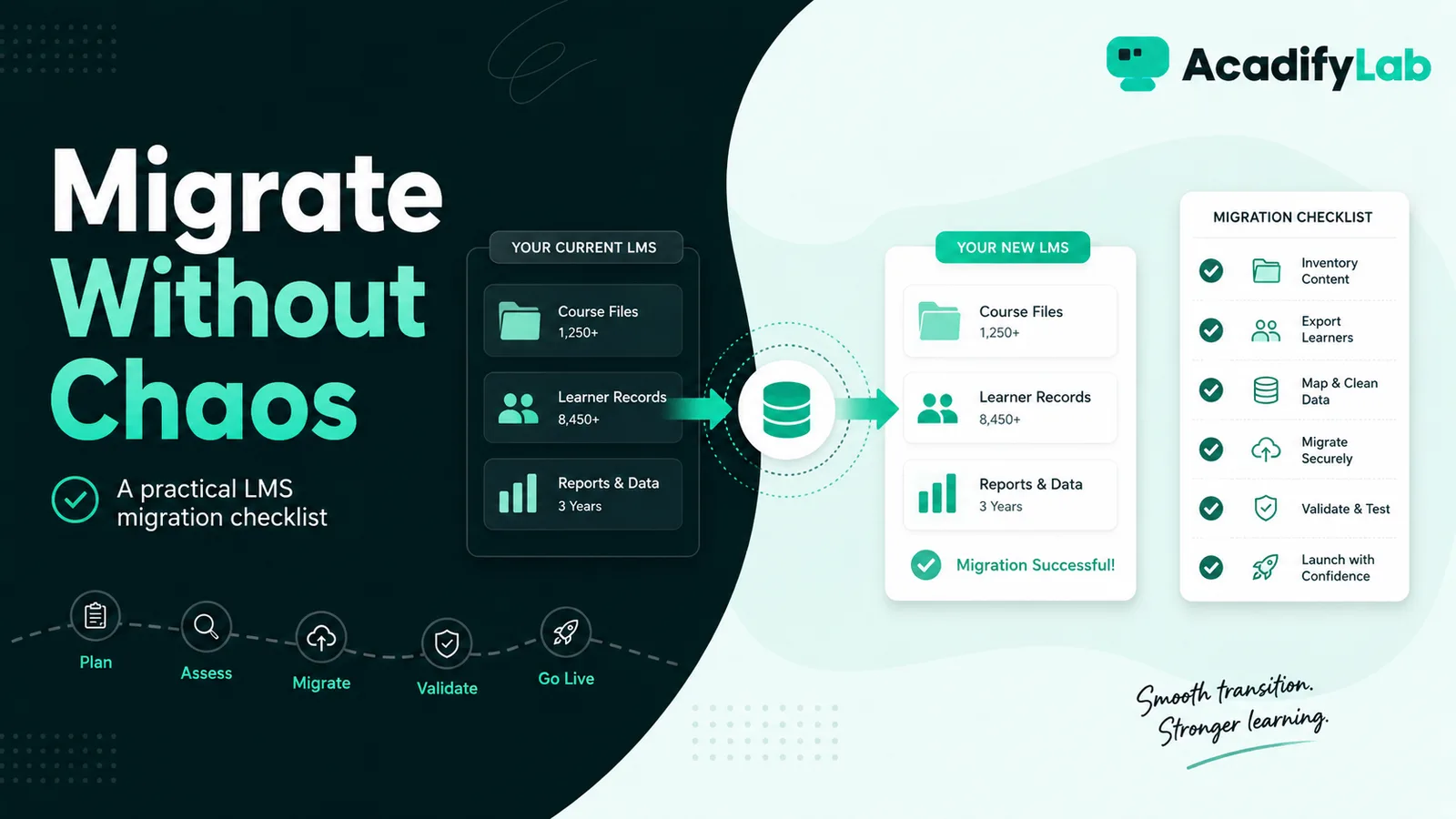
An LMS migration is safest when treated as a controlled data-and-learning transition rather than a bulk file copy. Inventory what exists, decide what should move, map users and records, pilot the new environment, then cut over with a rollback plan.
The practical approach is to start from the learning and operating problem, define the minimum workflow that solves it, and then use technology to make that workflow consistent. This guide focuses on decisions that can be tested in a real LMS rather than on feature-count marketing.
Inventory before migrating
List courses, videos, files, assessments, users, groups, completion records, certificates and integrations. Flag obsolete or duplicate material for retirement.
Decide what history is truly required
Not every old click or activity record needs to move. Preserve records required for learner continuity, certification, compliance or business operations.
Map data fields
Document how legacy users, cohorts, roles, course statuses and completion states translate into the new LMS. Test edge cases before the bulk import.
Move content in priority order
Start with active programs and near-term cohorts. Validate video playback, documents, quizzes and links rather than assuming a successful upload means a successful course.
Pilot with real users
Ask a representative set of learners, instructors and admins to complete common tasks. Capture problems with access, navigation, notifications and reporting.
Plan the cutover
Set a freeze window, final data export, go-live communication, support channel and rollback criteria. Keep the old system available in read-only mode where practical during the transition.
AcadifyLab context
AcadifyLab states that guided migration of courses, content and students is available. Organisations should confirm exactly which data types and historical records can be migrated before committing.
Action checklist
- Review and document: inventory before migrating.
- Review and document: decide what history is truly required.
- Review and document: map data fields.
- Review and document: move content in priority order.
- Review and document: pilot with real users.
- Review and document: plan the cutover.
Use the checklist with a real course, batch or training program. Record any exception that still requires a spreadsheet, manual message or separate tool; those exceptions are often the most useful questions to raise during a trial or vendor demo.
Related AcadifyLab resources
Explore the AcadifyLab features overview and the relevant solution page for your use case.
Enterprise LMS for training companies
Next step
If you need to validate a multi-step workflow, a live product walkthrough is the fastest way to test requirements against the platform before committing.
Frequently asked questions
What should be migrated to a new LMS?
Prioritise active courses, current users, required completion/certification records and essential content. Archive obsolete material.
Can all historical LMS data be migrated?
Not always. Data formats and platform capabilities differ, so confirm what can be transferred and what should be retained separately.
Should the old LMS be shut down immediately?
A short read-only overlap can reduce risk where practical, especially if historical records may need verification.
How do you test an LMS migration?
Run sample imports, validate content and records, and ask real users to complete common workflows before cutover.
What is the biggest migration risk?
Moving bad or poorly mapped data into the new system without validating how fields and completion states translate.
Conclusion
LMS Migration Checklist is ultimately a workflow decision, not a checklist contest. Define what learners and administrators need to accomplish, keep the process simple enough to operate consistently, and use the LMS to make that process visible and repeatable. For training enterprises, that approach is more durable than choosing technology around whichever feature happens to be trending.
Related articles