On this page
- What student engagement really means
- Before class: set students up to engage
- During class: keep everyone active
- After class: sustain engagement over weeks
- Adapting engagement strategies by age group
- Engagement in hybrid classes
- How to measure student engagement
- Common engagement mistakes
- Choosing tools that support engagement
- Frequently asked questions
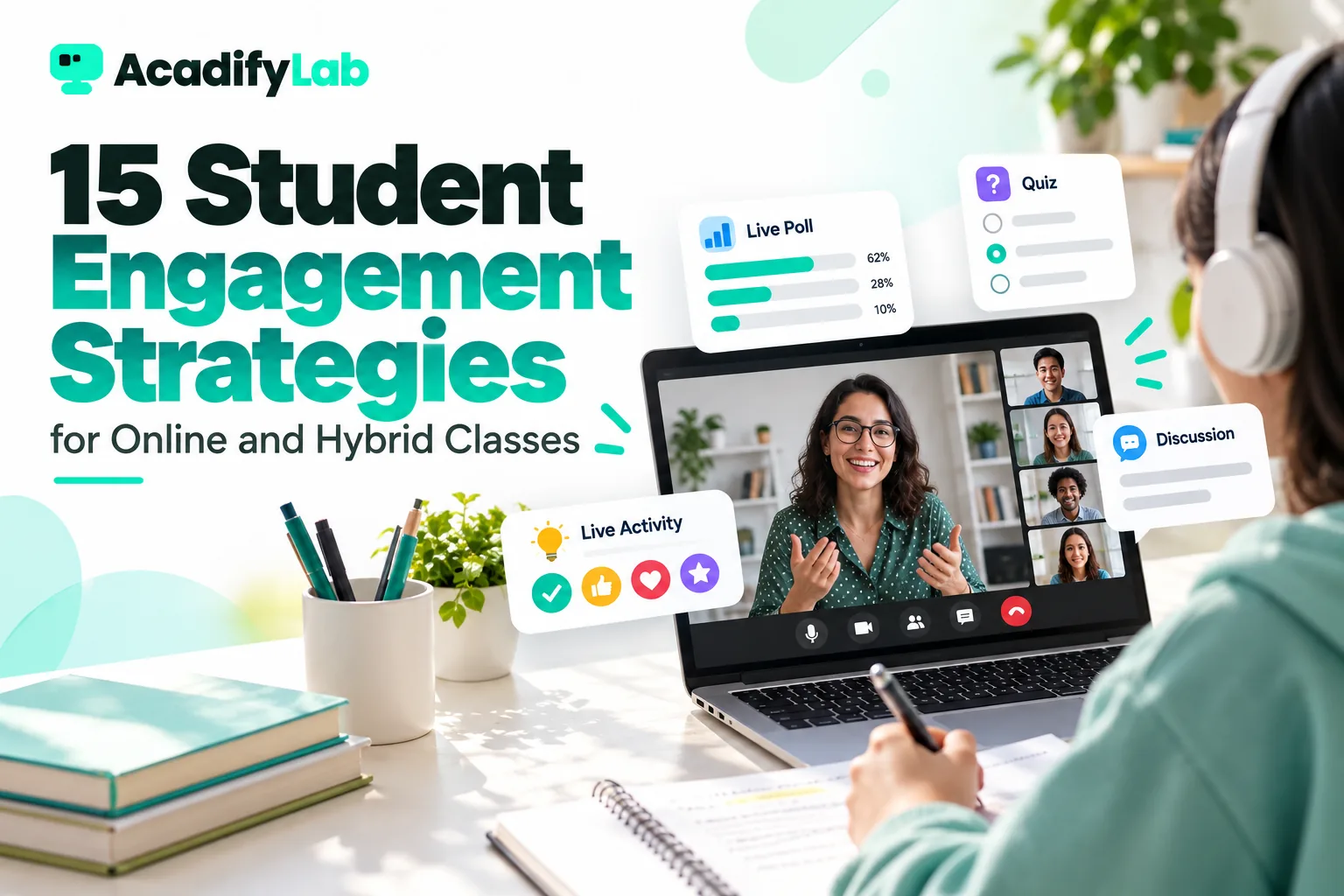
The most effective student engagement strategies for online and hybrid classes make students do something every few minutes: answer a question, solve a problem, vote in a poll, explain an idea to a peer or reflect on what they learned. Engagement is built before class (clear expectations and preparation), during class (short segments and frequent interaction) and after class (feedback, follow-up and visible progress).
Below are 15 practical strategies organised into those three stages, followed by ways to measure engagement and common mistakes to avoid. They work for school students, coaching batches and adult learners alike.
Key takeaways
- Engagement has three parts: behavioural (participating), cognitive (thinking hard) and emotional (feeling connected and motivated).
- Interaction every five to ten minutes keeps online attention far better than long lectures.
- Low-stakes questions and polls give every student a voice, not just the confident few.
- Regular feedback and visible progress keep students coming back.
- Follow up quickly on absences. Early action prevents disengagement from becoming dropout.
What student engagement really means
A student with their camera on is not necessarily engaged, and a student with their camera off is not necessarily distracted. Researchers commonly describe engagement in three dimensions:
- Behavioural engagement: attending, participating, completing tasks.
- Cognitive engagement: thinking deeply, making effort to understand, asking questions.
- Emotional engagement: interest, belonging and a positive relationship with the teacher and peers.
Good strategies target all three. A quiz builds behavioural and cognitive engagement; greeting students by name and celebrating progress builds emotional engagement.
Engagement also compounds. A student who participates early in the term, gets useful feedback and sees progress is far more likely to keep participating. A student who stays silent for the first few weeks often drifts further away. That is why the first two or three weeks of any batch deserve extra attention to participation and connection.
Before class: set students up to engage
1. Set clear expectations from day one
Explain how your classes work: when to unmute, how to ask questions, whether cameras are expected, how you will call on students and what happens with homework. Make the rules simple and consistent. Students engage more when they know what is expected and feel safe participating.
2. Share a short pre-class task
A three-minute video, a short reading or two warm-up questions before class primes students to think. In class, start by discussing the pre-class task rather than repeating it. This is the core of the flipped classroom approach, and it turns live time into practice time.
3. Publish a predictable schedule
Fixed class times, a visible weekly plan and reminders before each class reduce missed sessions. Online, many absences happen simply because students forget. Automated reminders through the app or messages help considerably.
4. Build personal connection early
Learn students’ names, interests and goals. A short goal conversation at the start of a term, or a “one thing about me” activity in the first class, builds emotional engagement. Students work harder for teachers they feel know them.
During class: keep everyone active
5. Teach in short segments
Break each class into segments of about 8–12 minutes of explanation, each followed by an activity. A simple rhythm is: explain, show an example, let students try, discuss answers. Long, uninterrupted lectures lose online students quickly, however good the content.
6. Use polls and quick checks
Live polls give every student a voice in seconds. Use them for concept checks (“Which of these is the correct next step?”), predictions (“What do you think will happen if…?”) and confidence checks (“How sure are you about this topic? 1–5”). Show the results and discuss the most common wrong answer, because that is where the learning happens.
7. Cold-call kindly, with a warm-up
Calling on students who haven’t raised a hand keeps everyone alert, but it should never feel like a trap. Ask the question first, pause for everyone to think, then name a student. Allow “I’m not sure, can I come back to it?” and do come back. Rotate fairly so no one is singled out.
8. Use the chat as a whiteboard
Ask everyone to type their answer in the chat at the same time, and send it on your count. This “waterfall” technique stops students copying the first answer and shows you instantly who understood. It also helps quieter students participate.
9. Have students solve, not just watch
For problem-based subjects such as maths, physics and accounts, give a problem, set a timer and ask students to solve it on paper and hold it up to the camera or upload a photo. For language and humanities subjects, ask for a one-sentence summary or example. Doing beats watching every time.
10. Use breakout groups for peer learning
In groups of three or four, students can compare answers, explain concepts to each other or tackle a harder problem. Give a clear task, a time limit and a role for each student, such as solver, checker or presenter. Visit groups briefly, then bring everyone back to share. Explaining to a peer is one of the strongest ways to learn.
11. Mix media and tools
Alternate between your face on camera, the whiteboard, a short video clip, a diagram and a student’s shared work. Changes in what students see help reset attention. Avoid reading slides aloud: use visuals to support what you say, not repeat it.
After class: sustain engagement over weeks
12. End with an exit ticket
In the last three minutes, ask one or two questions: “What was the main idea today?” and “What’s still confusing?” Answers show you what to revisit next class and encourage students to reflect. A quick two-question quiz works well as an exit ticket.
13. Give fast, specific feedback
Homework and tests matter only if students get feedback while they still remember the work. Auto-graded quizzes give instant results for objective questions; for written work, a short comment on one strength and one improvement is more useful than a long correction. Feedback that shows progress over time is especially motivating.
14. Follow up on absences and silence
Track attendance and participation, and reach out early when a student misses two classes in a row or stops participating. A short, friendly message (“We missed you on Tuesday. Here’s the recording and the practice set.”) often brings students back. For school-age students, keep parents informed too. Automatic attendance for live classes makes this tracking effortless.
15. Make progress visible
Students stay engaged when they can see that they are improving. Share test trends, chapters completed and skills mastered. Celebrate improvement, not just top scores. Completion certificates for courses or modules give adult learners a tangible milestone.
Adapting engagement strategies by age group
The same principles apply to every learner, but the tactics change with age and motivation.
Younger school students
Children have shorter attention spans online, so keep explanation segments to five to eight minutes. Use visual activities: drawing, holding up answers, quick games with points and simple challenges. Involve parents with short updates and occasional showcases of work. Praise effort specifically: “You checked your answer by substituting back, which is exactly what good mathematicians do.”
Teenagers and exam-preparation batches
Teenagers respond to relevance and autonomy. Connect each topic to the exam pattern, show past-paper questions and let students choose between practice sets of different difficulty. Peer explanation works well, and friendly rankings on practice quizzes can motivate some groups. Use them carefully so lower scorers don’t disengage. Regular mock tests with clear analysis show progress towards a goal they care about.
College students and adult learners
Adults want to know why something matters and how they will use it. Start with a real problem from their work or studies, use case studies and discussions, and respect their time with tightly planned sessions. Give them flexibility through recordings and self-paced material, and recognise their experience by inviting examples from their own context. Completion certificates and clear milestones matter more to working professionals than to school students.
Corporate trainees
In workplace training, engagement depends heavily on relevance to the job and on managers’ support. Use realistic scenarios, short modules people can complete between tasks, and practical assignments they apply at work. Brief managers so they ask about the training afterwards, because learners engage more when someone at work expects them to use what they learned.
Engagement in hybrid classes
Hybrid classes, with some students in the room and some online, bring a specific challenge: online students easily become passive observers. To keep both groups engaged:
- Use one shared channel for questions, such as the class chat or a poll, so in-room and online students answer in the same place.
- Call on online students first sometimes, so they are not always last.
- Pair online and in-room students for activities where possible.
- Check the audio: online students must hear in-room questions. Repeat them aloud if needed.
- Record sessions so students who miss class can catch up, whichever mode they normally use.
Our guide to running a hybrid coaching institute covers the operational side in detail.
How to measure student engagement
| Indicator | What it shows | Where to find it |
|---|---|---|
| Attendance and punctuality | Behavioural engagement | Live-class attendance records |
| Poll and chat participation | Active participation in class | Live-class tools |
| Homework and quiz completion | Effort between classes | Learning platform reports |
| Quiz score trends | Cognitive engagement and learning | Test results over time |
| Recording views | Revision behaviour | Course analytics |
| Questions asked | Curiosity and confidence | Your notes, chat, doubt forums |
| Student feedback | Emotional engagement | Short surveys or feedback forms |
Look for patterns rather than single data points. A student whose attendance, quiz completion and scores all drop at once needs a conversation, not just another reminder.
Common engagement mistakes
- Insisting on cameras without reason. Students with poor connections or shared rooms may struggle. Focus on participation through chat, polls and answers instead.
- Only asking “Any questions?” It rarely gets answers. Ask specific questions that require a response.
- Rewarding only the fastest students. Give thinking time and use methods where everyone answers.
- Too many tools. Switching between five apps wastes time and confuses students. Keep tools in one place.
- Ignoring the quiet majority. A few active students can hide the fact that most of the class is lost. Use polls and chat waterfalls to hear from everyone.
Choosing tools that support engagement
Many of these strategies depend on simple tools working smoothly: polls, chat, breakout rooms, a whiteboard, quizzes, recordings and attendance. When they live in one platform, you spend class time teaching rather than switching apps. Our page on virtual classroom software covers what to look for, and the live classes feature page shows how AcadifyLab handles live sessions with automatic attendance.
Frequently asked questions
What are the best student engagement strategies for online classes?
Teach in short segments, interact every five to ten minutes, use polls and chat responses so everyone answers, have students solve problems rather than watch, use small breakout groups and end with an exit ticket. Outside class, give fast feedback, follow up on absences and make each student’s progress visible.
How do you keep students engaged in a hybrid classroom?
Use one shared channel for questions and polls, call on online students regularly, pair online and in-room students for activities, make sure online students can hear everything and record sessions. Plan activities that work in both modes, so online learners participate fully rather than watching the room.
How can I measure student engagement online?
Track attendance, participation in polls and chat, homework and quiz completion, score trends, recording views and questions asked, plus short feedback surveys. Look for patterns over several weeks. A student whose attendance, completion and scores fall together needs a personal follow-up rather than another general reminder.
Should students keep their cameras on in online classes?
Cameras can help connection, but they are not a reliable measure of engagement and can disadvantage students with weak connections or limited privacy. Set a fair, consistent policy, perhaps cameras on for discussions and optional otherwise, and measure engagement through answers, polls and work instead.
Why do students disengage in online classes?
Common causes are long lectures without interaction, unclear expectations, technical problems, lack of feedback, feeling unnoticed, and falling behind without support. Short segments, frequent interaction, personal connection, quick feedback and early follow-up on absences address most of these causes.
Related articles