On this page
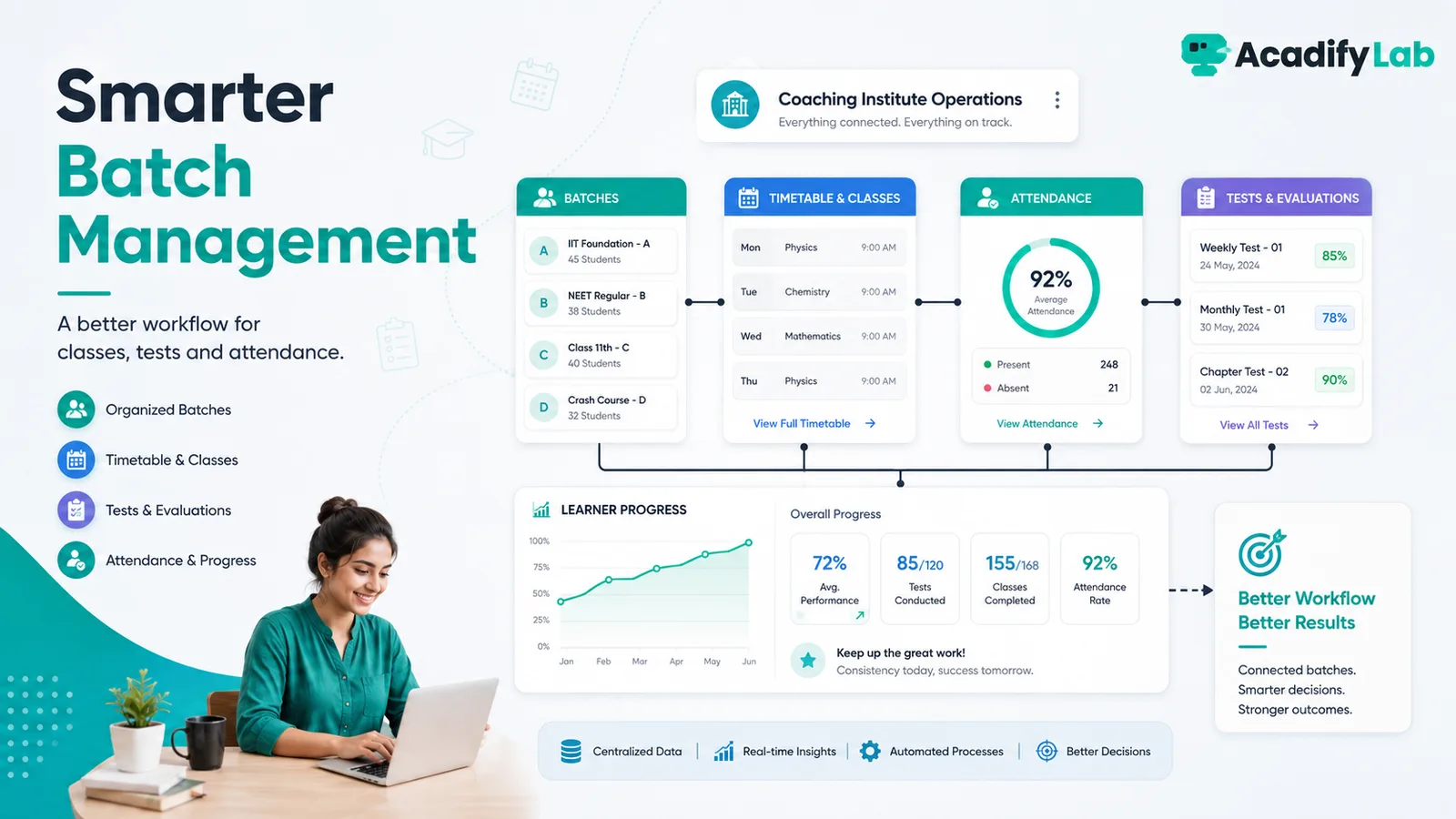
Batch management works best when every class, test, attendance record, resource and learner belongs to a clear cohort structure. The objective is to reduce duplicate coordination across spreadsheets, chat groups and separate meeting tools.
The practical approach is to start from the learning and operating problem, define the minimum workflow that solves it, and then use technology to make that workflow consistent. This guide focuses on decisions that can be tested in a real LMS rather than on feature-count marketing.
Define the batch model
Decide whether batches are based on subject, exam, grade, start date, faculty, branch or delivery mode. Avoid creating batches for every minor distinction because reporting becomes fragmented.
Create one source of truth for schedules
Maintain class timings, faculty assignments, live links and changes in the same system learners use. When the timetable changes, update it once and notify the affected batch.
Connect attendance to the learning journey
Attendance is more useful when viewed alongside tests, course access and progress. A missing class may be harmless; a pattern of missed classes plus missed assessments is a stronger intervention signal.
Plan tests by batch
Assign tests to the right cohort, publish attempt windows, define ranking or feedback rules and keep results connected to the learner record.
Give staff role-appropriate access
Faculty should see the batches they teach; branch admins need operational visibility; owners need cross-batch and cross-branch summaries.
Use weekly operating reviews
Review upcoming classes, attendance exceptions, test completion, inactive learners and schedule conflicts. A short recurring review is more valuable than a dashboard nobody checks.
AcadifyLab context
AcadifyLab lists batch management, scheduling, attendance, assessments, student tracking and multi-branch control for coaching institutes, making it possible to test this integrated workflow in one environment.
Action checklist
- Review and document: define the batch model.
- Review and document: create one source of truth for schedules.
- Review and document: connect attendance to the learning journey.
- Review and document: plan tests by batch.
- Review and document: give staff role-appropriate access.
- Review and document: use weekly operating reviews.
Use the checklist with a real course, batch or training program. Record any exception that still requires a spreadsheet, manual message or separate tool; those exceptions are often the most useful questions to raise during a trial or vendor demo.
Related AcadifyLab resources
Explore the AcadifyLab features overview and the relevant solution page for your use case.
Next step
If this workflow matches what you are trying to build, test it with your own sample course, batch or training program rather than relying on screenshots alone.
Frequently asked questions
What is batch management in an LMS?
Batch management groups learners into cohorts so schedules, classes, tests, content and communication can be managed consistently.
How many batches should an institute create?
Create batches around meaningful academic or operational differences, not every small variation.
Should attendance be part of batch management?
It is useful when attendance can be interpreted alongside schedules, tests and learner progress.
Can the same course be used across multiple batches?
Often yes. Reusing approved course content can reduce duplication while schedules and faculty remain batch-specific.
What should owners review weekly?
Upcoming schedules, attendance exceptions, assessment completion, inactive learners and operational conflicts.
Conclusion
Batch Management for Coaching Institutes is ultimately a workflow decision, not a checklist contest. Define what learners and administrators need to accomplish, keep the process simple enough to operate consistently, and use the LMS to make that process visible and repeatable. For coaching institutes, that approach is more durable than choosing technology around whichever feature happens to be trending.
Related articles