
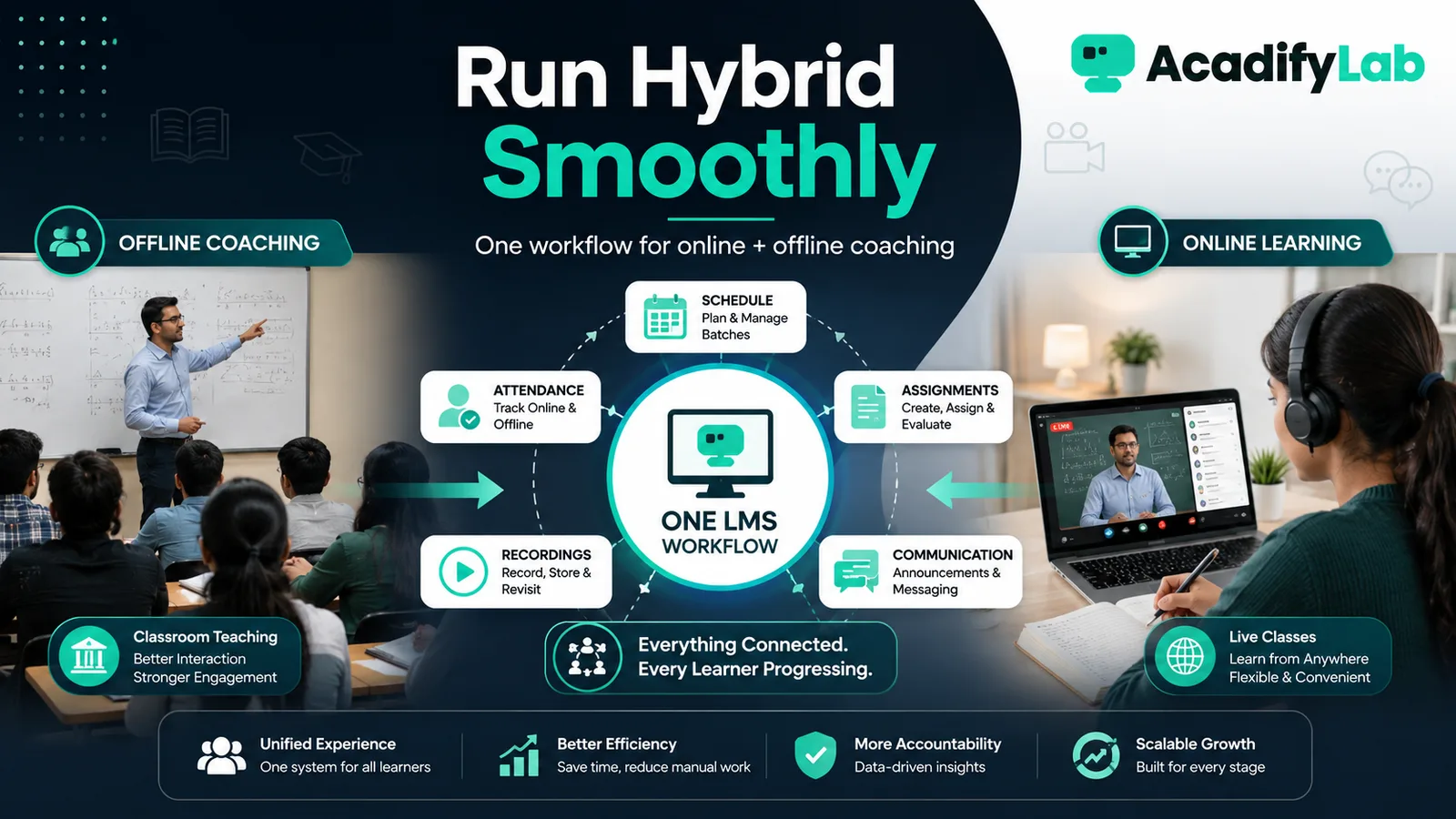
A hybrid coaching institute can run classroom and online learning through one operational model when batches, schedules, content, tests and learner records are coordinated centrally. Hybrid does not mean duplicating every process twice.
The practical approach is to start from the learning and operating problem, define the minimum workflow that solves it, and then use technology to make that workflow consistent. This guide focuses on decisions that can be tested in a real LMS rather than on feature-count marketing.
Define the hybrid promise
Decide what learners can do online, what must happen in person and whether both groups follow the same curriculum and assessment calendar.
Create shared curriculum spaces
Keep notes, recordings, assignments and test information in one learning environment so classroom learners do not depend on chat history for materials.
Coordinate schedules
Use one timetable for classroom sessions, live online classes, tests and revision. Clearly label delivery mode and location/link.
Treat attendance consistently
Define what attendance means for in-person and live online sessions. Avoid mixing incompatible attendance rules without explanation.
Use common assessments
Where learning goals are the same, a common assessment framework helps faculty compare progress and target revision across modes.
Support learners switching modes
A learner who misses a classroom session may need the recording or notes; an online learner may join an in-person workshop. Design continuity intentionally.
AcadifyLab context
AcadifyLab’s coaching solution lists attendance for live and offline batches, exams, batch management, scheduling, student tracking and live classes, which can support a unified hybrid workflow.
Action checklist
- Review and document: define the hybrid promise.
- Review and document: create shared curriculum spaces.
- Review and document: coordinate schedules.
- Review and document: treat attendance consistently.
- Review and document: use common assessments.
- Review and document: support learners switching modes.
Use the checklist with a real course, batch or training program. Record any exception that still requires a spreadsheet, manual message or separate tool; those exceptions are often the most useful questions to raise during a trial or vendor demo.
Related AcadifyLab resources
Explore the AcadifyLab features overview and the relevant solution page for your use case.
Next step
If this workflow matches what you are trying to build, test it with your own sample course, batch or training program rather than relying on screenshots alone.
Frequently asked questions
What is hybrid coaching?
Hybrid coaching combines classroom and online learning within one program or operating model.
Do hybrid learners need separate courses?
Not always. Shared curriculum can be reused while schedules and delivery activities differ.
How should attendance work in hybrid programs?
Define clear rules for classroom and live online sessions and keep them understandable to learners and staff.
Should online and offline learners take the same tests?
If learning outcomes are the same, a common assessment framework can be useful, with accommodations where delivery differences require them.
What is the main benefit of one LMS for hybrid coaching?
It provides one place for content, schedules, tests, learner records and communication across delivery modes.
Conclusion
How to Run a Hybrid Coaching Institute with One LMS Workflow is ultimately a workflow decision, not a checklist contest. Define what learners and administrators need to accomplish, keep the process simple enough to operate consistently, and use the LMS to make that process visible and repeatable. For coaching institutes, that approach is more durable than choosing technology around whichever feature happens to be trending.