On this page
- Before implementation: choose the right platform
- Define business outcomes and scope
- Form a small implementation team
- Inventory users, roles and content
- Design permissions and learning journeys
- Pilot with one representative program
- Prepare launch communication and support
- Review after launch
- Where AcadifyLab fits
- Action checklist
- Related AcadifyLab resources
- Next step
- Frequently asked questions
- Conclusion
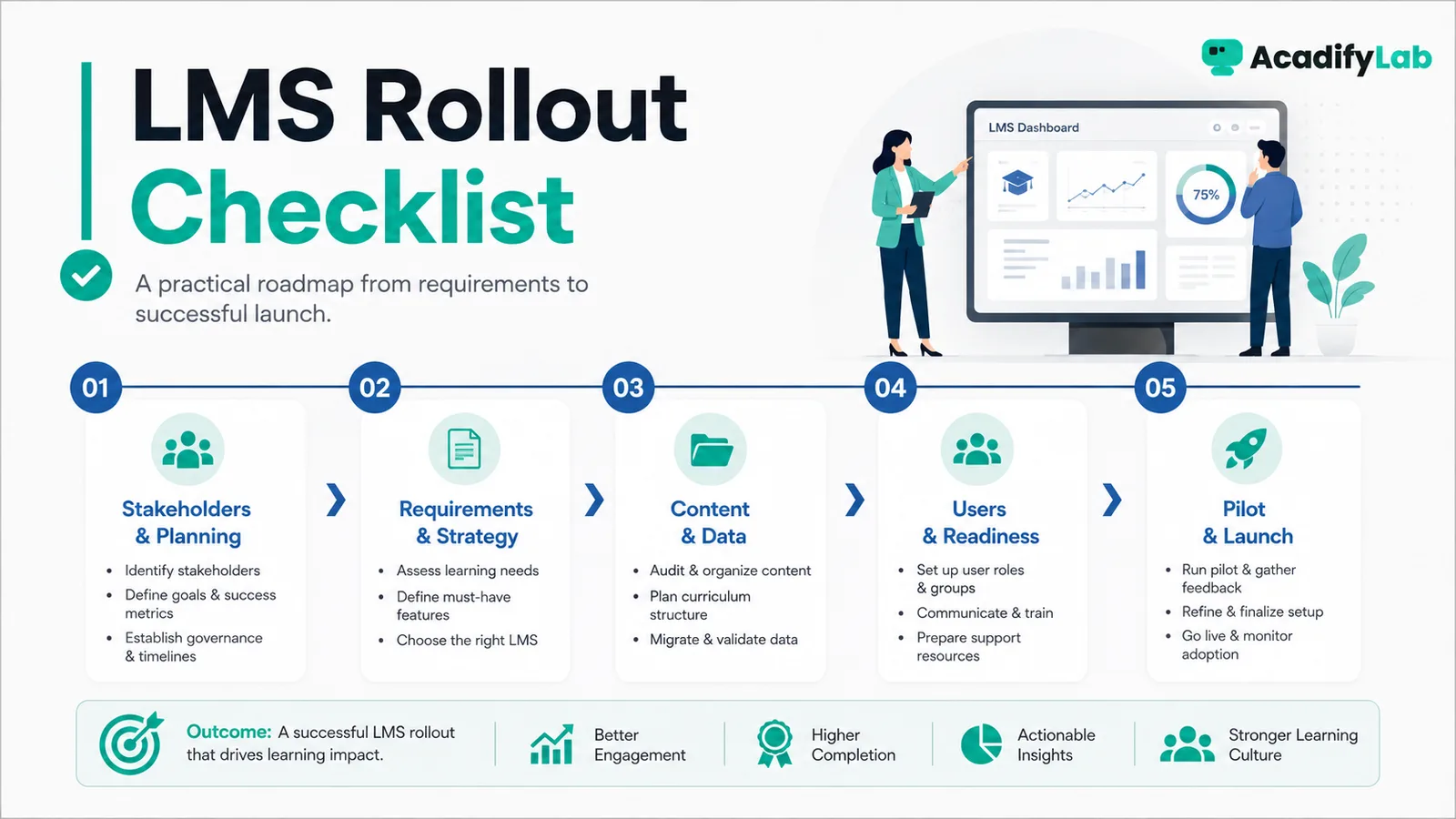
Successful LMS implementation is a change-management project as much as a software project. The safest rollout starts with clear business goals, defined ownership, clean learner and content data, a controlled pilot, and reporting rules that are agreed before launch.
The practical approach is to start from the learning and operating problem, define the minimum workflow that solves it, and then use technology to make that workflow consistent. This guide focuses on decisions that can be tested in a real LMS rather than on feature-count marketing.
Before implementation: choose the right platform
Implementation goes smoothly when the platform already fits your programmes. If you are still choosing, work through our guide to choosing an LMS and send vendors the same questions using our LMS RFP template. The checklist below assumes the platform is chosen and focuses on getting it live.
Define business outcomes and scope
Use the following points as a working checklist for training enterprises:
- Clarify whether the LMS will support onboarding, upskilling, compliance, partner learning, customer education or several programs.
- Define what success means operationally: consistent delivery, auditable completion, faster onboarding, better visibility or easier administration.
- Choose what is in phase one and what can wait.
Form a small implementation team
Use the following points as a working checklist for training enterprises:
- Executive sponsor for decisions.
- Program owner for learning operations.
- IT/security contact for access and integrations.
- Content owners for curriculum and assessments.
- Reporting owner who defines required dashboards and exports.
Inventory users, roles and content
Create a source-of-truth list for learner groups, admins, instructors, courses, certifications and legacy records. Remove duplicates and outdated content before migration so the new LMS does not reproduce old clutter.
Design permissions and learning journeys
Document who can create content, assign learning, view reports and manage users. For each learner group, define enrolment, prerequisites, required learning, assessments, certification and reminders.
Pilot with one representative program
Choose a program that is important enough to reveal real issues but contained enough to manage. Test enrolment, access, mobile experience, notifications, completion rules, reporting and support requests.
Prepare launch communication and support
Explain what is changing, what learners need to do, where to sign in, how to get help and what deadlines matter. Managers and instructors should receive their own short operating guides.
Review after launch
Hold a structured review after the first cycle. Identify access problems, confusing navigation, unnecessary notifications, reporting gaps and content issues. Treat implementation as iterative rather than a one-time configuration exercise.
Where AcadifyLab fits
AcadifyLab positions its enterprise solution around employee learning, role-based access, internal certification, compliance training, team analytics and reporting, with guided migration listed in its FAQ. These capabilities should still be validated against the organisation’s exact requirements during a demo or pilot.
Action checklist
- Review and document: define business outcomes and scope.
- Review and document: form a small implementation team.
- Review and document: inventory users, roles and content.
- Review and document: design permissions and learning journeys.
- Review and document: pilot with one representative program.
- Review and document: prepare launch communication and support.
Use the checklist with a real course, batch or training program. Record any exception that still requires a spreadsheet, manual message or separate tool; those exceptions are often the most useful questions to raise during a trial or vendor demo.
Related AcadifyLab resources
Explore the AcadifyLab features overview and the relevant solution page for your use case.
Enterprise LMS for training companies
Next step
If you need to validate a multi-step workflow, a live product walkthrough is the fastest way to test requirements against the platform before committing.
Frequently asked questions
How long does LMS implementation take?
It depends on scope, content volume, migration complexity, integrations and governance. A focused pilot can be quick, while a multi-audience enterprise rollout requires more preparation.
Should all old training content be migrated?
Usually no. Migration is a useful opportunity to archive obsolete, duplicate or low-value content.
Who should own an LMS implementation?
A business or learning-program owner should usually lead it, with IT, content owners and leadership involved where needed.
What should an LMS pilot test?
Test access, enrolment, content delivery, assessments, notifications, reporting, mobile usability and support workflows using realistic users.
What is the biggest LMS implementation mistake?
Configuring software before defining the operating model. This often creates unnecessary complexity and weak adoption.
Conclusion
LMS Implementation Checklist for Training Enterprises is ultimately a workflow decision, not a checklist contest. Define what learners and administrators need to accomplish, keep the process simple enough to operate consistently, and use the LMS to make that process visible and repeatable. For training enterprises, that approach is more durable than choosing technology around whichever feature happens to be trending.
Related articles